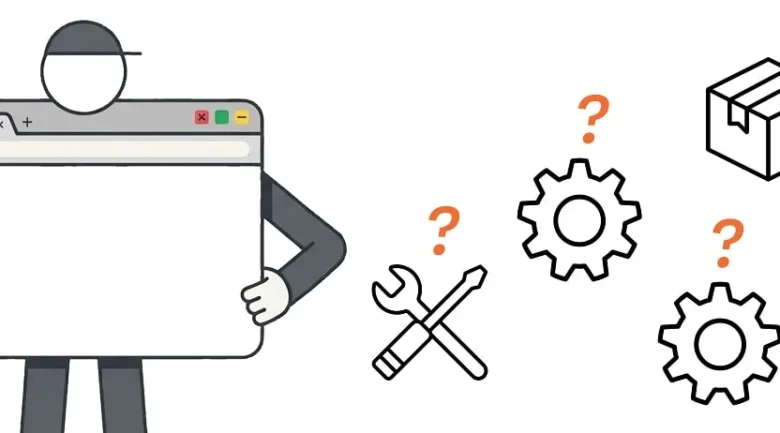
The landscape of frontend development is in constant flux, with new technologies and methodologies emerging at a rapid pace. In 2026, a critical question is being debated within the developer community: are traditional build tools still essential for frontend workflows, or has the ecosystem evolved to a point where they can be largely dispensed with? A comprehensive audit of current practices and emerging trends suggests a nuanced answer, indicating that while some traditional functions of build tools are becoming obsolete, others remain vital for efficient and robust web development.
The Evolving Role of Build Tools
Historically, build tools like Webpack, Rollup, and Parcel have been indispensable for frontend developers. Their primary functions included:
- Module Bundling: Aggregating JavaScript modules into single or multiple files to optimize loading times.
- Transpilation: Converting modern JavaScript (ES6+) into older versions (ES5) to ensure compatibility with a wider range of browsers.
- Asset Optimization: Minifying HTML, CSS, and JavaScript, compressing images, and handling other optimizations to reduce file sizes.
- Code Transformation: Processing CSS preprocessors like Sass and Less, and enabling features like CSS Modules.
- Development Server: Providing live reloading and hot module replacement for a smoother development experience.
- Code Splitting: Dividing code into smaller chunks that can be loaded on demand, improving initial page load performance.
However, recent advancements in browser technology and JavaScript standards have begun to diminish the necessity of some of these functions.

Obsolete or Diminishing Functions
1. Vendor Prefixing:
Once a critical task for build tools, vendor prefixing (e.g., -webkit-, -moz-) ensured that CSS properties were compatible across different browser engines. However, the widespread adoption of standards and the development of tools like Autoprefixer, which is often integrated into build pipelines, have made manual vendor prefixing largely unnecessary. Modern browsers have excellent support for standard CSS properties, significantly reducing the need for these prefixes. According to data from Can I Use, the vast majority of widely used CSS properties now have broad, prefix-free support across major browsers, diminishing the reliance on build tools for this specific task.
2. ES5 Transpilation:
The need to transpile modern JavaScript (ES6+) to ES5 for browser compatibility was a cornerstone of build tool functionality. However, the rapid adoption of evergreen browsers has drastically altered this requirement. As of 2026, the percentage of internet users relying on browsers that do not support ES6 features is negligible. Major browsers like Chrome, Firefox, Safari, and Edge consistently update, offering robust support for the latest ECMAScript standards. This means that for many projects targeting modern browsers, transpilation to ES5 is no longer a mandatory step, allowing developers to write and deploy modern JavaScript directly. Data from browser statistics platforms indicates that less than 0.5% of global internet users are still on browsers that would necessitate ES5 transpilation.
3. Sass and Less Feature Absorption:
CSS preprocessors like Sass and Less offered powerful features such as variables, mixins, nesting, and functions, which were not natively available in CSS. Build tools facilitated the compilation of these preprocessor languages into standard CSS. While these preprocessors still offer advanced features and organizational benefits, native CSS has significantly evolved. Features like CSS Custom Properties (variables), nesting (partially supported and evolving), and functions have been progressively introduced into the CSS standard. This reduces the dependency on preprocessors for basic functionality, allowing more CSS to be written directly and processed by the browser without a build step.
Enduring Relevance of Build Tools
Despite the decline of certain functionalities, several core aspects of build tools remain highly relevant and, in many cases, indispensable for modern frontend development.

1. Bundling and Code Splitting:
While browsers are improving their ability to handle multiple small files, module bundling remains crucial for optimizing performance. Tools effectively group related modules, reducing the number of HTTP requests and enabling efficient caching strategies. Furthermore, advanced code splitting techniques, facilitated by build tools, are essential for large-scale applications. By intelligently dividing code into smaller, on-demand chunks, developers can ensure that users only download the code necessary for the current view or interaction, dramatically improving initial load times and overall user experience. Libraries like React, Vue, and Angular heavily leverage code splitting, and build tools are the primary mechanism for implementing this.
2. Minification and Optimization:
Reducing the size of assets is a perpetual goal in web development. Minification, the process of removing unnecessary characters (whitespace, comments) from code, and compression techniques significantly decrease file sizes, leading to faster download times. Build tools automate these processes, ensuring that production-ready code is as lean as possible. Beyond code, build tools also manage image optimization, asset fingerprinting (for cache busting), and other critical optimizations that directly impact website performance and user perception.
3. Advanced Transformations and Plugin Ecosystems:
The power of build tools extends beyond basic transformations. Their plugin-based architectures allow for highly customized workflows. This includes:
- Transpilation for Specific Features: While ES5 transpilation is less common, build tools are still used for enabling experimental JavaScript features or for targeting specific environments that might have niche requirements.
- Optimized Image Handling: Tools can perform advanced image optimization, including format conversion (e.g., WebP), lazy loading integration, and responsive image generation.
- Framework-Specific Integrations: Build tools are tightly integrated with popular frontend frameworks like React (via Create React App, Next.js), Vue (via Vue CLI), and Angular (via Angular CLI), providing optimized configurations and development experiences.
- Static Site Generation (SSG) and Server-Side Rendering (SSR): Many modern frameworks and static site generators rely on sophisticated build processes to pre-render pages, improving SEO and initial load performance. Tools like Next.js and Nuxt.js are prime examples of this integration.
4. Development Experience and Tooling:
Build tools are instrumental in providing a superior developer experience. Features like:

- Hot Module Replacement (HMR): Allows developers to see changes reflected in the browser instantly without a full page reload, significantly speeding up the development cycle.
- Development Servers: Offer features like proxying, environment variable management, and seamless integration with linters and formatters.
- Type Checking: Integration with TypeScript or Flow ensures that code is robust and fewer runtime errors occur.
The Rise of "No-Build" Solutions and Their Limitations
The concept of "no-build" development has gained traction, particularly for simpler projects or for developers seeking a more streamlined experience. This approach often relies on:
- Native ES Modules: Modern browsers natively support ES modules, allowing developers to import JavaScript files directly without bundling.
- Modern CSS: Leveraging the full capabilities of native CSS without needing preprocessors.
- CDN-hosted Libraries: Using JavaScript and CSS libraries directly from Content Delivery Networks.
However, "no-build" solutions often falter when projects scale or require advanced features. The audit highlights key areas where the "no-build" approach breaks down:
- Performance at Scale: For applications with numerous JavaScript modules and dependencies, relying solely on native ES modules can lead to a significant number of individual HTTP requests, negatively impacting performance, especially on slower networks. Bundling and code splitting remain critical for managing this complexity.
- Optimization Deficiencies: Native browser capabilities for minification and advanced asset optimization are limited. Build tools offer sophisticated algorithms for compression, image optimization, and cache busting that are essential for production readiness.
- Complex Workflows: Integrating linters, formatters, type checking, and custom build steps becomes cumbersome and manual without the automation provided by build tools.
- Cross-Browser Compatibility (Edge Cases): While ES5 transpilation is less common, certain enterprise environments or specific legacy browser requirements might still necessitate it. Build tools provide the flexibility to handle these edge cases.
- Framework Integration: Most modern frontend frameworks are designed with specific build tool integrations in mind. Opting for a "no-build" approach can lead to compatibility issues and a less optimized development experience.
Sponsor Spotlight: Greptile Trex
In the realm of ensuring code quality and identifying issues early in the development lifecycle, solutions like Greptile are emerging to complement traditional development workflows. Greptile’s Trex feature offers a novel approach by automatically running PR branches in a sandbox environment. Using browser agents, it navigates the UI, clicks through functionalities, and captures screenshots and videos as evidence of bugs or issues. This proactive bug detection, directly integrated into the Pull Request process, aims to streamline QA and reduce the time spent on manual testing and bug reproduction. This innovation represents a move towards more automated and visually verifiable quality assurance in frontend development.
The Case for Polyfills
Despite advancements in browser standards, the debate around polyfills continues. As Lea Verou argues in her piece, "In Defense of Polyfills," while the goal is for browsers to adopt standards uniformly and quickly, the reality is often a fragmented landscape. Polyfills act as crucial bridges, enabling developers to use newer APIs and features in older browsers that may not yet support them. This allows for more consistent feature implementation across different environments, preventing a situation where developers must choose between using modern, powerful features and supporting a significant portion of their user base. While the ideal scenario is a world without the need for polyfills, their continued relevance underscores the challenges of maintaining broad compatibility in a rapidly evolving web.

Innovations in CSS and Animation
The evolution of CSS continues to bring powerful new capabilities to frontend developers. Chris Coyier’s exploration of "Thinking Horizontally in CSS @layer" highlights a sophisticated pattern for managing CSS specificity. By utilizing CSS @layer to isolate component design tokens as weak rules and keeping scoped component styles unlayered and strong, developers can avoid the notorious specificity wars that have plagued CSS development for years. This approach offers a more predictable and maintainable way to structure stylesheets, especially in large projects.
Furthermore, the pursuit of engaging user experiences drives innovation in frontend animation. Josh W Comeau’s tutorial on "Building a ‘Magical’ 3D Button" exemplifies this. In an era where user interaction often begins with a button click, creating visually appealing and responsive elements can significantly enhance the user experience. This tutorial showcases how to craft an animated 3D button that moves beyond the mundane, adding a touch of delight and interactivity to the interface.
Advancements in Color Handling
Color management in web development is also seeing significant progress. The release of Color.js 0.7, as highlighted by Lea Verou and Chris Lilley, marks a substantial step forward in providing robust color manipulation capabilities within the browser. This library adheres to the latest color specifications and introduces support for numerous new color spaces, advanced gamut mapping, and smarter fallback mechanisms for unsupported colors. In an era where design systems and precise color control are paramount, libraries like Color.js empower developers to work with color more effectively and accurately, ensuring consistent visual output across diverse platforms and displays.
Conclusion: A Hybrid Approach Prevails
In 2026, the question is not whether build tools are entirely necessary, but rather which functionalities are still critical and how they are implemented. While the need for ES5 transpilation and vendor prefixing has diminished, the core roles of bundling, code splitting, minification, and advanced asset optimization remain vital for building performant, scalable, and maintainable frontend applications. The "no-build" approach offers an appealing simplicity for smaller projects, but for professional development at scale, a well-configured build pipeline, often provided by frameworks and their associated CLIs, continues to be the most effective solution. The ongoing evolution of web technologies suggests a future where build tools will adapt, focusing on more sophisticated optimizations, enhanced developer experiences, and seamless integration with emerging standards and frameworks, rather than disappearing entirely.