The Evolution of Web Animation Control
The web has long struggled with a clear division between state-based animations and continuous, timeline-linked effects. For years, developers relied on the requestAnimationFrame API or heavy event listeners to toggle CSS classes that would trigger animations. While functional, this approach often caused "jank"—dropped frames resulting from the main thread becoming overwhelmed by scroll events.
The development of the CSS Animation Triggers specification emerged from a broader initiative within the CSS Working Group to provide native, high-performance alternatives to these JavaScript-heavy patterns. By allowing developers to define triggers—whether event-based or timeline-based—within their stylesheets, the browser can optimize the rendering process by offloading the logic to the compositor thread. This change is not merely a syntactic improvement; it is an architectural shift that treats animation state as a first-class citizen in the CSS language.
Core Mechanics and Syntax
At its heart, the animation-trigger property functions as a gatekeeper for CSS animations. It allows an animation to remain in a paused, reset, or waiting state until a specific, named trigger signal is received. The syntax is designed to be concise: animation-trigger: none | <trigger-name> <enter-action> [<exit-action>];.
The power of this system lies in the decoupling of the animation definition from the animation execution. An element can be styled with an animation that remains dormant until the trigger-name is invoked. The actions—such as play-forwards, play-backwards, pause, or reset—provide granular control over how the element responds to the trigger. This allows for complex sequences, such as an element fading in when a user reaches a specific scroll position, and fading out or resetting when the user scrolls away, all without a single line of JavaScript.
Timeline-Driven Interactivity vs. Scroll-Driven Animation
A frequent point of confusion among developers is the distinction between scroll-triggered animations and the recently introduced scroll-driven animations. While both utilize the scrollport as a reference point, their underlying mechanics are fundamentally different.
Scroll-driven animations are continuous; they map the progress of an animation directly to the progress of the scroll. If a user scrolls 50% down a page, the animation is exactly at 50% of its duration. There is no concept of a "start" or "stop" event. Conversely, scroll-triggered animations are state-based. The scroll position acts as a switch. Once the user crosses a threshold—the "activation range"—the trigger fires, and the animation proceeds according to its own internal timeline. This binary, state-based approach is far better suited for UI elements like revealing menus, animating entry transitions for text, or triggering alerts based on page progress.
Implementing Timeline Triggers
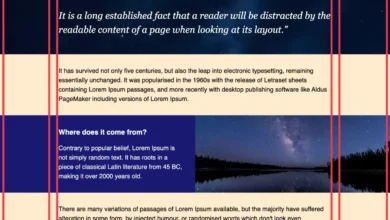
To leverage these capabilities, developers must establish a timeline-trigger on an element. This involves defining a name, such as --feature-reveal, and associating it with a source, typically view() or scroll(). The activation range is then defined to specify exactly when the trigger should switch from "off" to "on."
.reveal-wrapper
  timeline-trigger: --feature-reveal view() contain / cover;


.feature-element
  animation: slide-in 0.5s ease-out;
  animation-trigger: --feature-reveal play-forwards;
In this example, the .feature-element remains stationary until the .reveal-wrapper enters the contain range of the viewport. Once that condition is met, the browser automatically plays the slide-in animation. Because these triggers are scoped, developers can define them on parent containers to orchestrate the movement of multiple child elements simultaneously, ensuring a cohesive and performant visual experience.
Technical Implications and Performance Analysis
The transition to native browser-level animation triggering carries significant implications for web performance. JavaScript-based scroll observers run on the main thread, which is shared with script execution, layout calculations, and style recalculations. During rapid scrolling, the main thread can easily become congested, leading to sluggish animations and unresponsive user interfaces.
By shifting this logic to the CSS engine, the browser can execute these triggers on the compositor thread. This allows for smooth, 60fps animations even when the main thread is busy. Furthermore, the declarative nature of CSS triggers reduces the potential for race conditions that often plague complex JavaScript-based animation logic. The browser handles the state management, ensuring that an animation never starts before the trigger condition is met and that states are correctly managed even during rapid, erratic scroll behavior.
Browser Support and Industry Outlook
As of the latest industry reports, the animation-trigger property is in its infancy. It is currently available primarily in Chrome 145 and later, reflecting its status as an "Experimental" feature within the W3C drafts. This means that while it represents the future of web animation, developers must exercise caution when implementing it in production environments.
The CSS Working Group continues to refine the specification. Feedback from the developer community during this "Editor’s Draft" phase is critical, as it informs how the property will handle edge cases, such as overlapping triggers or complex animation sequences. Industry experts generally expect that as the spec reaches Candidate Recommendation status, other major browser engines—including Firefox and Safari—will begin their own implementations, eventually leading to a standardized, cross-browser experience.
Challenges and Best Practices
Despite its potential, the adoption of animation-trigger requires a change in mindset. Developers must be diligent about trigger scoping. By default, trigger names are globally scoped, which can lead to conflicts if multiple developers on a large project use the same name. The trigger-scope property is an essential tool in the developer’s arsenal here, as it allows for the restriction of a trigger to a specific DOM subtree.
Additionally, the reliance on activation ranges requires a solid understanding of the browser’s box model and scrollport mechanics. The use of visualizers—such as the tool provided by the Chrome team—is highly recommended for developers attempting to map out complex triggers. Debugging these animations requires a focus on the state of the trigger rather than the animation itself; if an animation fails to fire, the developer must verify that the activation range is being entered and that the trigger scope is correctly configured.
The Future of Declarative Web UI
The introduction of animation-trigger is a landmark event in the maturation of CSS as a layout and interaction language. For decades, the web has been moving away from the "document" model toward an "application" model, and the ability to define complex, stateful animations without JavaScript is a vital piece of that puzzle.
By prioritizing native implementations, the web platform is becoming more capable of delivering high-fidelity, interactive experiences that rival native applications. As developers move toward this declarative approach, we can expect to see a reduction in the "animation tax"—the performance cost of adding visual flair to websites—leading to faster, more accessible, and more engaging user experiences across the board. While the road to full cross-browser compatibility remains long, the groundwork laid by the Animation Triggers specification ensures that the future of web animation is both efficient and robust.