Decoding the User Experience: Why Accordion Icons and Split Menus Make or Break Website Navigation

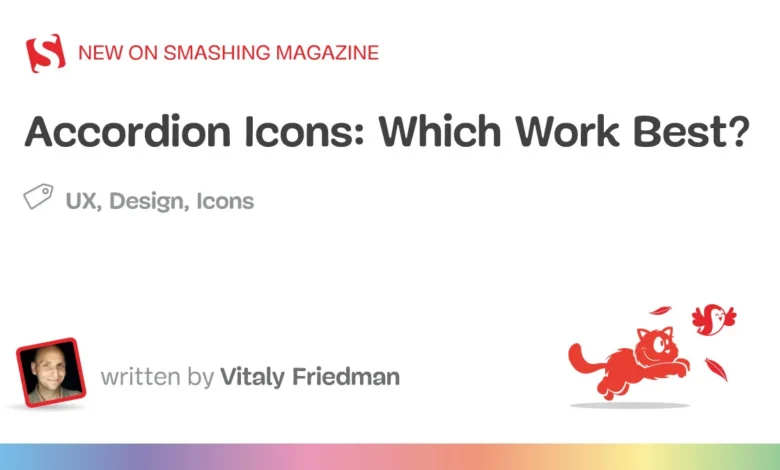
User experience (UX) research continually demonstrates that minor visual details on a website can profoundly impact user behavior, conversion rates, and overall site usability. Recent findings from the Nielsen Norman Group (NN/g) shed light on a ubiquitous design element: the accordion icon. By evaluating how users interact with expand-and-collapse menus, UX researchers have uncovered crucial insights regarding icon selection, the dangers of split menus, and the cognitive friction caused by poorly designed navigational hierarchies.
The investigation into accordion mechanics addresses a fundamental question that web designers have debated for years: What is the most reliable icon to communicate expansion and collapse functionality? Furthermore, the research provides a definitive look into why certain common design patterns—such as split menus and overloaded symbols—actively harm the user journey.
Main Facts and the Core Dilemma of Accordion Navigation

At the heart of the NN/g study is the tension between user expectation and interface design. When users encounter a menu item on a desktop or mobile website, their immediate physical response is determined by visual cues. Without any accompanying icon, users overwhelmingly assume that clicking or tapping a menu item will navigate them directly to a new page rather than opening a hidden sub-menu.
However, introducing custom or ambiguous icons often exacerbates user confusion. The study revealed that users tend to click or tap with equal frequency on both the text label and the icon itself. This behavioral reality means that an icon is never just a visual signifier; it forms an integral part of the interactive hit area. If an icon communicates the wrong intent, or if it sends the user to a different location than the text label, the resulting interaction shudders with friction.
Designers frequently attempt to solve this by overcomplicating menus, employing dynamic arrows that shift direction, rotate, or point diagonally depending on the state of the component. Yet, empirical data suggests that simplicity consistently outperforms complexity in digital architecture.
The Chronology and Evolution of Accordion Usability Studies

The quest to standardize accordion design has evolved alongside the maturation of web and mobile interfaces. In the early days of web design, accordions were primarily used for FAQs and dense blocks of text, where a simple plus (+) and minus (-) sign sufficed. These symbols were borrowed heavily from desktop operating systems like Microsoft Windows and early macOS, where directory trees expanded and collapsed via mathematical operators.
As responsive design took over mobile screens in the 2010s, designers needed space-saving navigation patterns. Accordion menus migrated from content bodies into primary site navigation, sparking an era of experimentation. Designers began utilizing right-facing and down-facing arrows, chevrons, carets, and bespoke graphical symbols to handle multi-level hierarchies.
Unfortunately, this rapid evolution outpaced standardized usability testing. Many organizations implemented custom navigation schemes based on aesthetic trends rather than cognitive science. This led to a fragmented web ecosystem where users frequently encountered inconsistent navigational patterns across different domains. The recent NN/g study serves as a modern empirical checkpoint, synthesizing years of observational user testing to correct these fragmented practices and establish evidence-based guidelines for interface designers.
Supporting Data: The Performance Breakdown of Specific Icons

To understand why certain icons succeed while others fail, it is essential to examine the cognitive load associated with each symbol type. The NN/g research categorizes accordion icons into several distinct groups, each yielding predictable user reactions during usability trials.
The Caret (Triangle Pointing Down/Up/Sideways)
The research points to the caret as the single safest and most reliable icon choice for accordion expansion. By default, a downward-facing caret successfully signals that hidden content resides beneath the header and will reveal itself upon interaction. Upon activation, transitioning the caret to point upward or sideways clearly denotes the expanded state. Users exhibit high accuracy rates when interpreting carets, largely because this symbol has become a digital native standard across major operating systems and modern web frameworks.
The Plus (+) and Minus (-) Symbols
While mathematically intuitive, plus and minus signs are heavily overloaded symbols in modern digital interfaces. Beyond indicating expansion and collapse, a plus sign can signify adding an item to a shopping cart, zooming in on an image, saving content for later use, or expanding a data row in a spreadsheet. In multi-level navigation systems where multiple accordions are opened simultaneously, a screen cluttered with plus and minus signs can overwhelm users, leading to operational errors and misclicks.
Arrows and Chevrons
Right-facing (►) and down-facing (▼) arrows create a distinct psychological ambiguity. Research indicates that a right-facing arrow does not consistently trigger the expectation of page navigation, nor does a down-facing arrow reliably communicate that an accordion will open. Furthermore, arrows are frequently used to indicate scrolling, pagination, or sequential progression, causing users to misinterpret their function within static menu hierarchies.

The Absence of Icons
When no icon is present, users overwhelmingly default to the assumption of direct page navigation. If a design relies on text alone without an underline or explicit visual indicator of a sub-menu, users clicking the label expect to be transported to a new URL. Violating this expectation by opening an accordion instead of loading a page creates immediate disorientation.
The Dangers of Split Menus and Dual Actions
One of the most critical warnings emerging from recent UX research is the severe detriment caused by split menus. A split menu occurs when a single navigation component splits its functionality: the text label directs the user to a category page, while the adjacent icon opens the accordion sub-menu.
Usability testing consistently shows that split menus are harmful and fail to meet user mental models. Because users click across both the text label and the icon with equal probability, they frequently trigger the wrong action. A user attempting to open a sub-menu accidentally navigates away to a parent category page, while a user seeking the main category page inadvertently triggers a dropdown. This disjointed experience frustrates visitors and increases bounce rates, particularly on mobile viewports where touch targets are smaller and precision is compromised.

To eliminate this friction, UX professionals recommend a unified interaction model. A menu item should perform a single, cohesive action—either opening the accordion to reveal child options, or navigating directly to a page. If an organization requires both pathways, the best practice is to allow the primary category tap to expose the sub-menu, and house a dedicated "Overview" or category link directly inside the expanded dropdown list, as successfully demonstrated by major enterprise platforms like DHL and scholarly search portals like Lens.org.
Industry Responses and Practical Implementation
Leading digital agencies and enterprise product teams have begun incorporating these empirical insights into their design systems. By stripping away extraneous graphical noise, modern web development prioritizes predictability over ornamentation.
Interface guidelines now heavily emphasize a minimalist approach:

- Direct Links: If a menu item is fundamentally a hyperlink to a destination page, the most effective signifier is a simple text underline. While visually understated, underlines have centuries of typographic conditioning behind them and communicate link destination flawlessly.
- Accordion Triggers: For collapsible sections, default to a clean, standardized caret pointing downward, switching orientation upon state change.
- Elimination of Split Targets: Ensure that interactive components feature unified hit areas that avoid splitting primary navigation tasks between text and icons.
Broader Impact and Implications for the Digital Ecosystem
The ongoing refinement of accordion icons and navigational structures carries significant implications for web accessibility, digital equity, and overall user retention. In an era where digital consumption increasingly shifts toward mobile devices, cognitive load and interface efficiency are paramount.
When websites employ ambiguous or overloaded icons, users with cognitive disabilities, elderly populations, or those navigating under stressful conditions face heightened barriers to information retrieval. Standardizing around clear, unambiguous signifiers like the caret reduces cognitive friction, ensuring that content remains universally accessible. Furthermore, reducing misclicks and navigational dead-ends directly translates to improved conversion rates for e-commerce platforms and higher engagement metrics for informational portals.
Ultimately, the research reinforces a timeless maxim in digital product design: simplicity and clarity always outperform complexity. By aligning interface design with established human psychological expectations, developers and designers can create seamless, intuitive digital environments that respect the user’s time and attention.