The evolution of front-end web development has long been defined by the struggle to manage transient UI elements like tooltips, popovers, and dropdown menus. Historically, developers relied heavily on complex JavaScript libraries to calculate coordinate geometry in real-time, attempting to keep these elements tethered to their trigger targets while navigating the unpredictable constraints of the browser viewport. As of late 2026, a native browser solution—the CSS Anchor Positioning API—has moved from experimental status to a critical component of modern web standards, fundamentally shifting how developers handle dynamic interface alignment.
The Technical Evolution of UI Tethering
For over two decades, the "anchoring" problem has remained a primary source of technical debt. When a user interacts with a UI component, such as a hover-triggered tooltip, the browser must render that element relative to the trigger. If the trigger is positioned near the edge of the screen, a standard absolute or fixed position often results in the tooltip clipping or overflowing outside the visible viewport.
Before the introduction of the Anchor Positioning API, solving this required "observer" patterns in JavaScript—scripts that constantly monitored the scroll position, window dimensions, and element offsets to recalculate positions on every frame. This approach was not only performance-intensive, taxing the main thread during high-frequency interactions, but it also introduced latency, often resulting in "flicker" where the element would jump into place after the page had already rendered. The new API moves these calculations into the browser’s internal rendering engine, allowing for near-zero-latency updates that are both more performant and more robust.
Chronology of the CSS Anchor Positioning API
The development of the API began in earnest within the CSS Working Group (CSSWG) around 2023, driven by the increasing demand for high-performance, accessible UI components that do not rely on heavy external dependencies.
- Early 2024: Initial drafts of the Anchor Positioning specification were introduced, focusing on the
anchor-nameandposition-anchorproperties. - Late 2025: Chromium-based browsers began shipping the first stable implementations of Level 1, allowing developers to tether elements without manual JavaScript calculations.
- July 2026: The emergence of Level 2 specifications, including the "anchored" container query, addressed the critical issue of state-aware styling, such as flipping carets or adjusting padding based on whether the element has moved to a fallback position.
- October 2026: Broad industry adoption, with the specification being proposed for Interop 2027, signaling a move toward cross-browser parity.
Core Mechanics: Anchors, Targets, and Fallbacks
The architectural shift relies on a relationship between an "anchor" and a "target." By defining an anchor-name on the trigger element, the browser creates a logical reference point. The target element then links to this via position-anchor.
The most significant advancement in this system is the position-area property. By conceptualizing the target’s space as a 3×3 grid centered on the anchor, developers can dictate placement with declarative syntax. For instance, position-area: top center effectively instructs the browser to place the target above the anchor.
Crucially, the API addresses the overflow problem through position-try-fallbacks. If the browser determines that a target element would overflow the viewport at its primary position, it automatically iterates through a list of fallback positions defined by the developer. This process is entirely declarative, meaning the browser handles the "decision-making" process as the user scrolls or resizes the window, eliminating the need for custom event listeners.
The Shift to Anchored Container Queries
While Level 1 addressed positioning, Level 2 solved the aesthetic consistency problem. A common issue with automated flipping is that visual indicators—such as the "caret" or "arrow" on a tooltip—must also rotate to point toward the anchor.
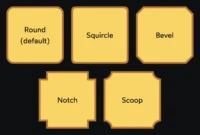
Previously, this required developers to use JavaScript to detect which side the tooltip was currently on, then toggle a CSS class. The introduction of container-type: anchored allows developers to apply container queries that respond to the element’s current position state. If the target flips from the top to the bottom, the CSS can automatically trigger a change in border-shape or padding. This "self-aware" styling represents a major milestone in CSS capability, as it allows style changes to be bound to the layout engine’s output rather than the document’s DOM structure.
Broader Implications and Industry Impact
The industry-wide move toward native browser positioning has significant implications for web performance and accessibility. First, by offloading layout calculations to the browser’s native C++ rendering engine, developers can significantly reduce the JavaScript payload of modern web applications. Reduced main-thread activity directly correlates to lower interaction-to-next-paint (INP) scores, a key metric in the Core Web Vitals framework.
Second, the standardization of this API improves the accessibility of web interfaces. Automated positioning ensures that tooltips and menus remain reachable and readable for users with accessibility tools, as the browser ensures the elements stay within the viewport bounds without requiring developers to write complex boundary-detection logic that might fail in edge cases.
Challenges and Future Outlook
Despite its potential, adoption is not without hurdles. As of late 2026, full implementation of Level 2 features is primarily concentrated in Chromium-based browsers. Firefox and Safari are currently working through the implementation of these complex specifications, leading to a fragmented landscape.
Industry analysts suggest that developers should utilize feature queries (@supports) to handle graceful degradation. By providing a base position for older browsers and an enhanced, anchored experience for browsers that support the new API, developers can maintain site reliability.
Furthermore, some developers have expressed concerns regarding the "hidden" complexity of the API. While it removes the need for JavaScript, the declarative syntax for fallback positions can be dense, requiring a learning curve for teams accustomed to traditional layout methods. Nonetheless, the consensus among browser vendors and web architects is that the CSS Anchor Positioning API is the definitive future for web UI. As the industry moves into 2027, it is expected that this API will become the standard for all interactive web components, marking the end of the "JavaScript-for-positioning" era and the beginning of a more performant, natively-driven web experience.