Streamlining Business Intelligence Architecture by Connecting Microsoft Power BI Directly to Amazon SageMaker Unified Studio

Modern enterprises are increasingly tasked with bridging the gap between sophisticated data science environments and accessible business intelligence (BI) reporting tools. For many organizations, the ability to visualize governed data directly from a data science platform without relying on expensive, cumbersome third-party middleware is no longer a luxury—it is a functional necessity for operational agility. A significant advancement in this space has been achieved with the latest update to the Amazon Athena ODBC driver, which now allows for a native, direct connection between Microsoft Power BI and Amazon SageMaker Unified Studio.
Historically, the integration of these two platforms required the deployment of intermediary ODBC-JDBC bridges. While functional, these bridges introduced substantial architectural overhead, including increased licensing costs, complex configuration requirements, and the necessity for ongoing maintenance of additional software components. By eliminating these dependencies, the updated driver simplifies the data pipeline, enabling analysts to maintain their existing workflows while benefiting from the robust governance and security features inherent in the AWS ecosystem.
Evolution of Data Connectivity
The evolution of this integration reflects a broader industry trend toward "native-first" cloud connectivity. Prior to the release of version 2.2.0 of the Amazon Athena ODBC driver, analysts often struggled with latency and security bottlenecks created by bridge software. These older configurations often acted as "black boxes," making it difficult for IT administrators to audit data lineage and access controls effectively.
The shift toward native authentication modes—specifically designed for the SageMaker Unified Studio environment—marks a milestone in data democratization. By supporting both DSN-based and DSN-less connection methods, the updated driver caters to diverse organizational needs, whether they involve live, real-time dashboarding or scheduled, static reporting.
Practical Application and Industry Impact
The real-world implications of this architectural simplification are best observed in large-scale research and public-sector environments. UC Irvine, a prominent public research institution, serves as a case study for the utility of this integration. Managing vast quantities of student data across disparate departments, the university has long relied on Power BI for high-level reporting.
Bernadette Theologidy, Manager of Student Analytics at UC Irvine, notes that the transition to the native connection has significantly optimized their internal processes. "Our users rely on Power BI for data visualization and reporting, but connecting to governed data in AWS previously required workarounds. The ODBC connection feature gives a direct path from Power BI into our SageMaker Unified Studio projects—no bridge software, no extra licensing, just a connection string and we’re ready to go," Theologidy explained.
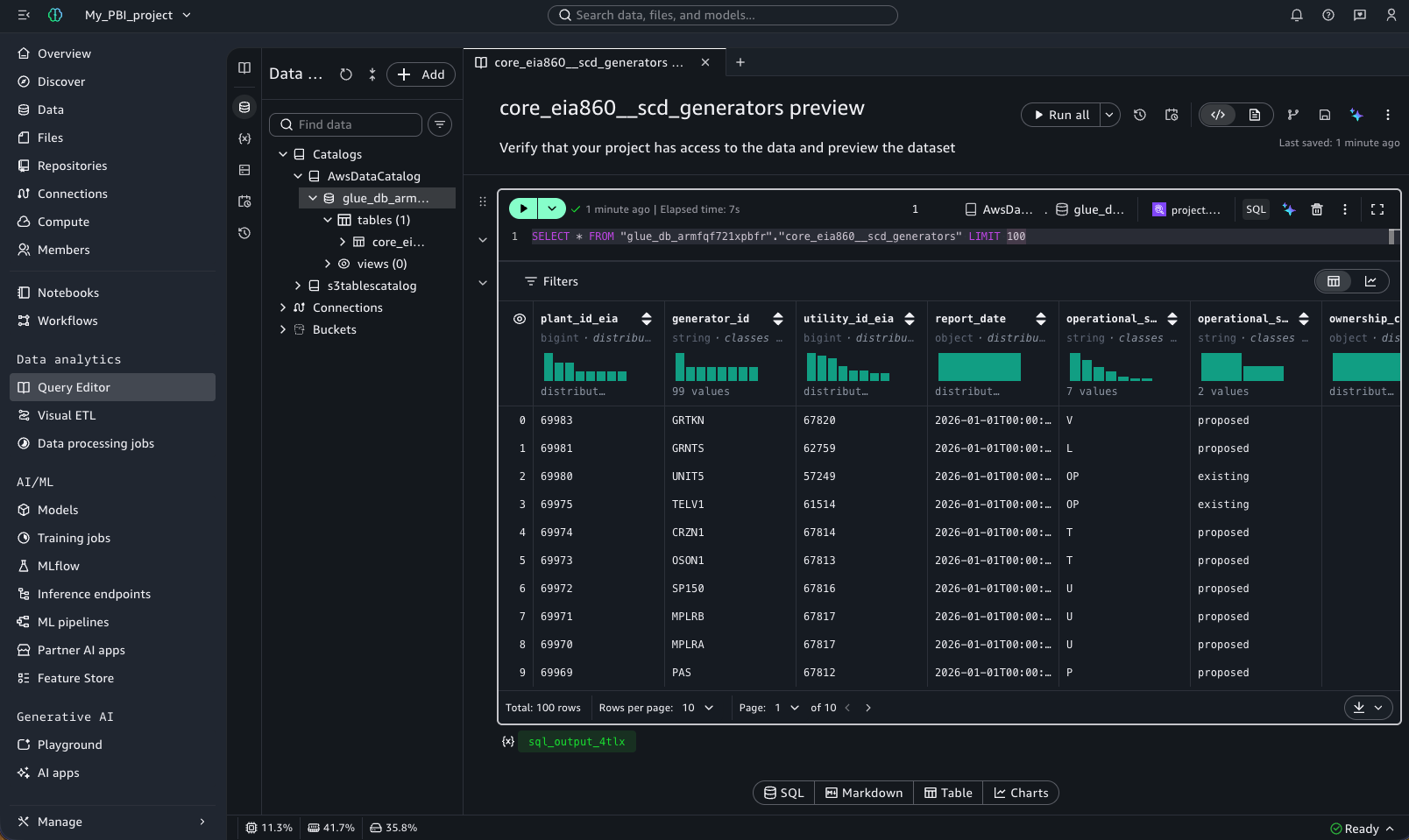
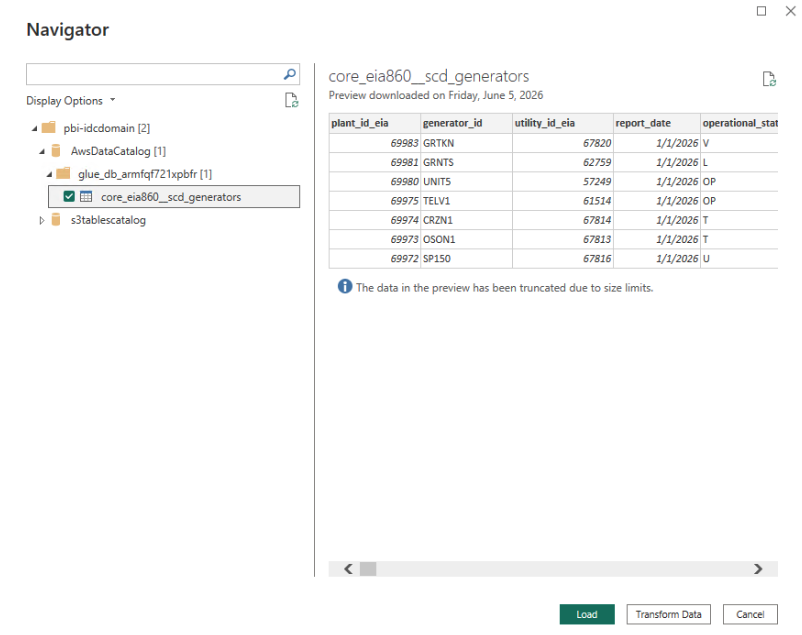
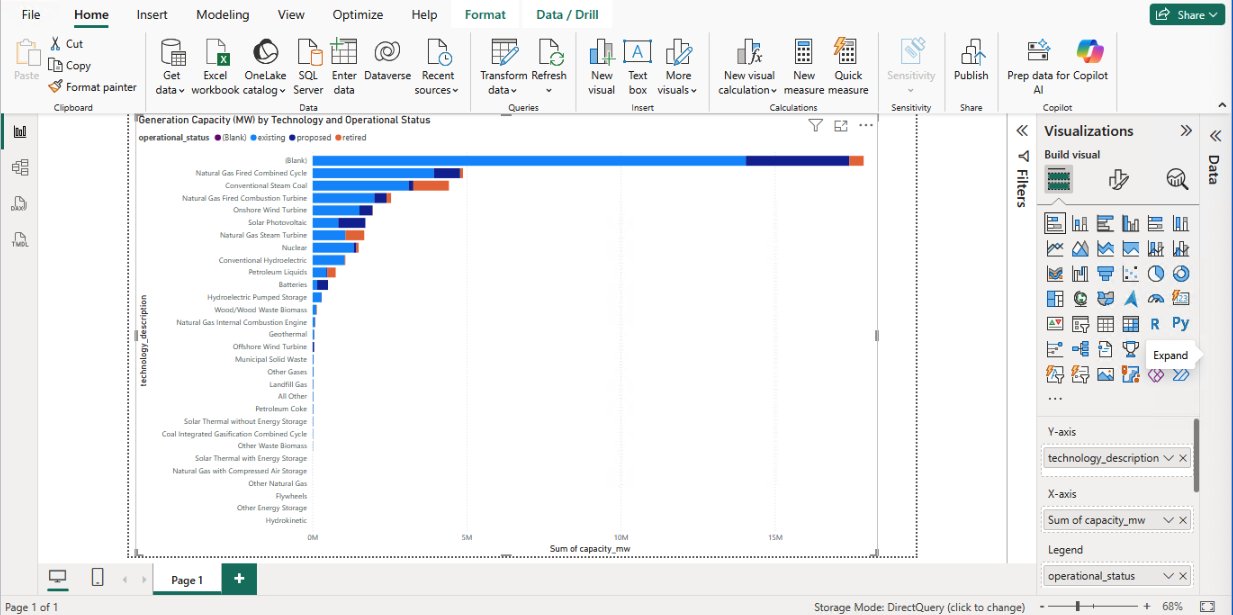
This sentiment is echoed by data architects across the energy and financial sectors, where the need to combine the computational power of SageMaker with the visual accessibility of Power BI is constant. For example, in the energy sector, analysts working with the Public Utility Data Liberation Project (PUDL) can now ingest massive EIA-860 generators datasets directly into Power BI. This allows for the rapid identification of shifting trends in generation capacity and infrastructure investment, providing a clearer view of the ongoing global energy transition.
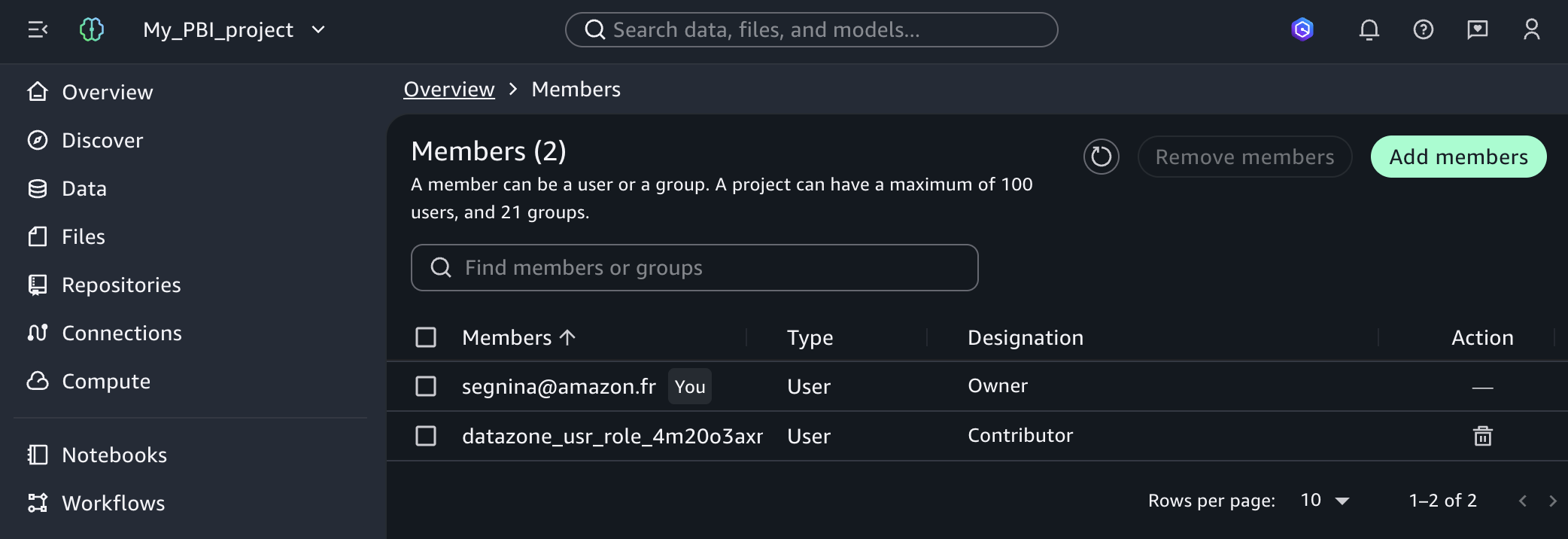
Architectural Overview: The Two-Method Approach
The updated integration provides two distinct pathways for connectivity, each tailored to specific data freshness and security requirements.
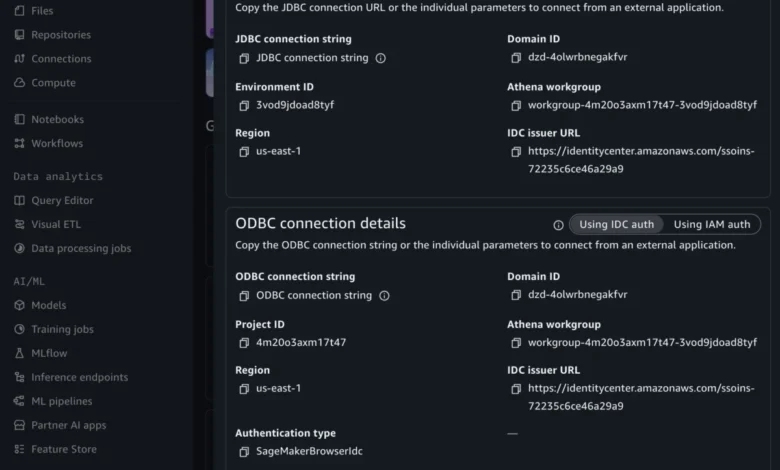
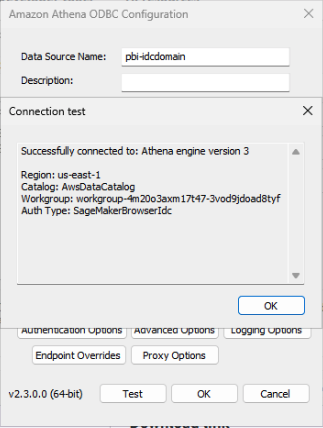
Method 1, the DSN-based approach, utilizes the Amazon Athena connector within Power BI. This method is the preferred choice for dashboards that require live, real-time data, as it fully supports the Power BI "DirectQuery" mode. Because it integrates with the SageMakerBrowserIdc authentication mode, it allows users to authenticate through their existing IAM Identity Center and external identity providers, ensuring that security policies are strictly enforced at the user level.
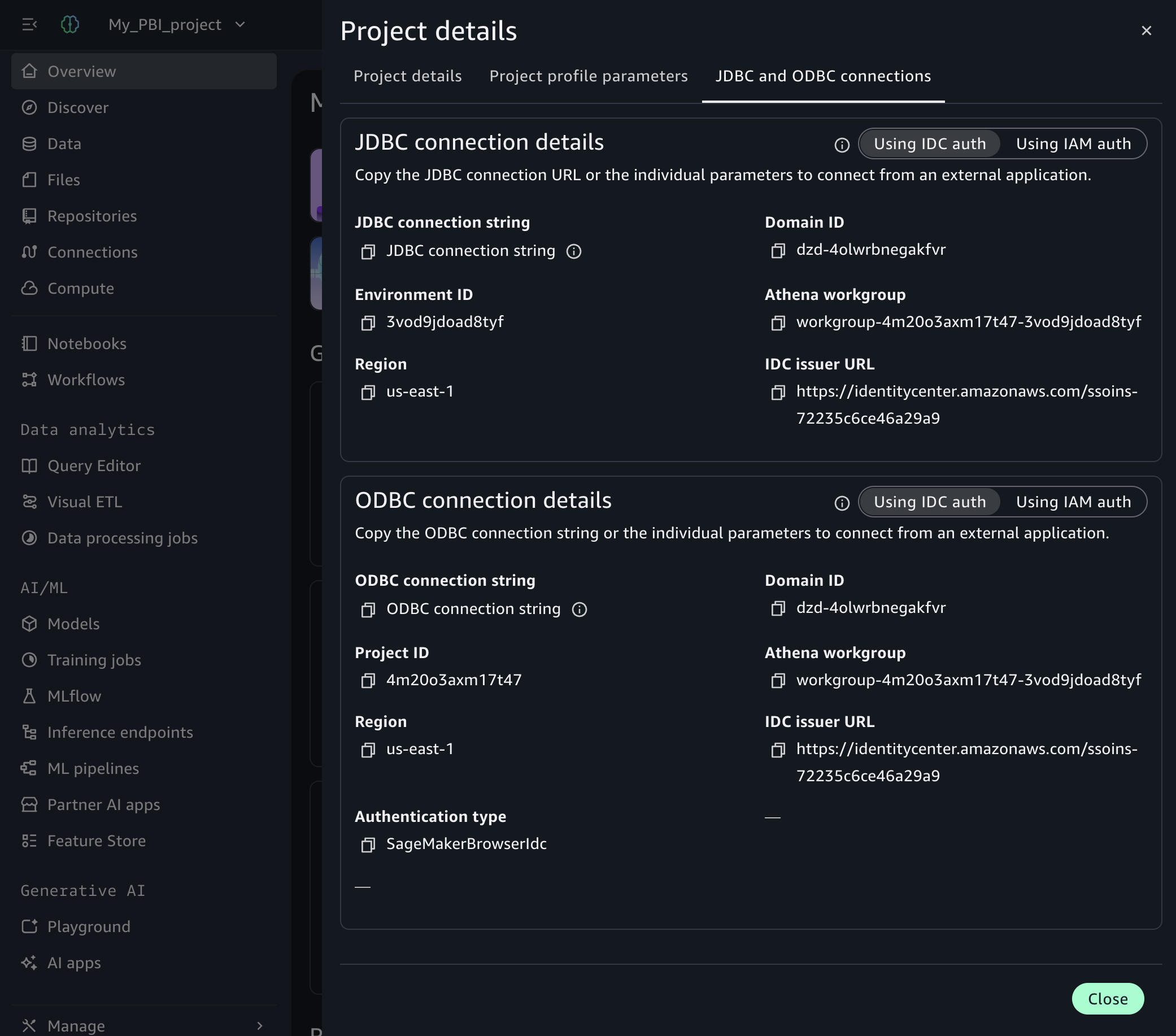
Method 2, the DSN-less approach, offers a streamlined configuration using the standard Power BI ODBC connector. While this method is limited to "Import" mode—meaning data must be refreshed on a schedule—it eliminates the need to configure Data Source Names on individual machines. This is particularly beneficial for enterprise environments where centralized control over machine configurations is strictly enforced and local DSN management is restricted.
Security and Governance Frameworks
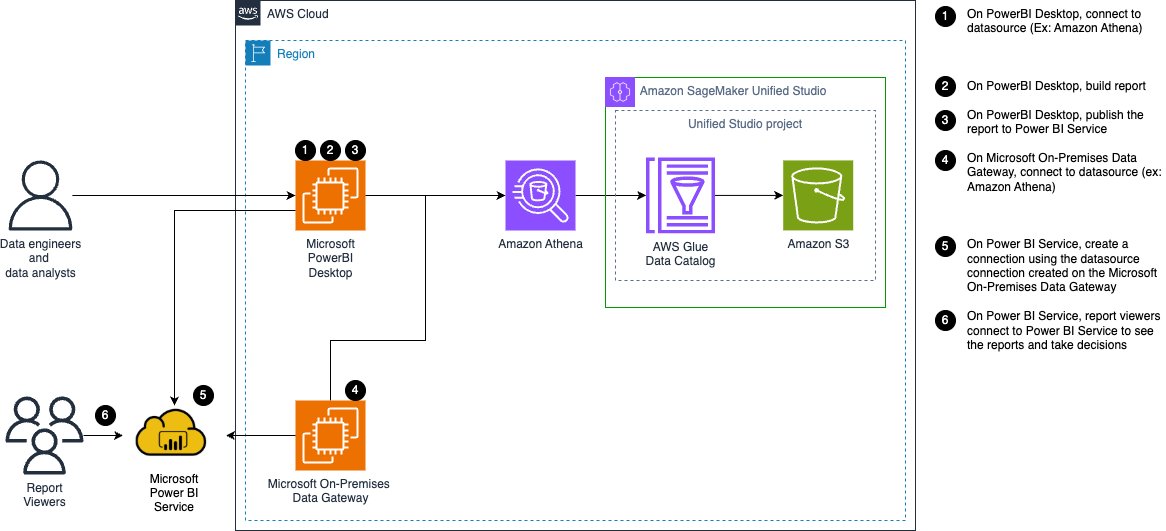
At the core of this integration is the commitment to data governance. The architecture relies on the AWS Glue Data Catalog, which acts as the source of truth for metadata, while Amazon S3 remains the repository for the raw data. The security model is governed by SageMaker Unified Studio projects, which ensure that only authorized users or services—such as the Power BI gateway—can access specific datasets.
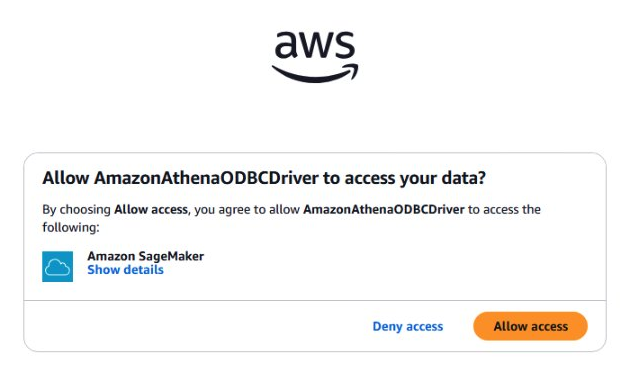
When using an on-premises data gateway, the system authenticates using instance profile credentials. These credentials rotate automatically, significantly reducing the risk of unauthorized access due to stagnant or leaked security keys. Furthermore, because the gateway operates as a Windows service, it bypasses the need for interactive browser-based logins, providing a secure, automated path for data flow that aligns with standard enterprise IT security audits.
Comparative Analysis of Connection Features
To determine the optimal configuration for an organization, it is necessary to compare the technical capabilities of the two available methods:
| Feature | Method 1: DSN-based | Method 2: DSN-less |
|---|---|---|
| Connector | Amazon Athena | ODBC Connector |
| Mode | DirectQuery & Import | Import Only |
| DSN Required | Yes | No |
| Data Freshness | Real-time or Scheduled | Scheduled Refresh |
| Auth Types | SageMakerIam & BrowserIdc | SageMakerIam Only |
| Best For | Live Dashboards | Standardized Reporting |
Strategic Implications for Data Analysts
The ability to connect directly to Athena through SageMaker Unified Studio provides a distinct competitive advantage. For organizations, it reduces the Total Cost of Ownership (TCO) associated with data infrastructure. By removing the need for third-party middleware, companies avoid not only the licensing fees but also the long-term operational costs associated with patching, updating, and troubleshooting bridge software.
Moreover, the integration facilitates a "self-service" culture. Analysts no longer need to submit requests to data engineers to export datasets into CSV or Parquet files for consumption in Power BI. Instead, they can query the data catalog directly, ensuring that the data being visualized is current, accurate, and governed by the organization’s predefined access rules.
Future-Proofing the BI Pipeline
The path forward for this integration is marked by further automation. As highlighted by successful implementations at companies like ENGIE, the deployment of Athena data sources can be fully automated, allowing for rapid scaling of BI capabilities across global departments. By utilizing custom blueprints and infrastructure-as-code (IaC) templates, organizations can define standard configurations for their gateway roles and project memberships, ensuring that new projects are "analytics-ready" from the moment of creation.
As organizations continue to migrate their legacy data systems to the cloud, the synergy between platforms like Amazon SageMaker and business intelligence stalwarts like Microsoft Power BI will define the next phase of the digital enterprise. The removal of unnecessary architectural complexity is a testament to the maturation of cloud-native data ecosystems. By prioritizing simplicity and security, AWS has provided a blueprint for how modern enterprises can unlock the full potential of their data without being constrained by the technical limitations of yesterday’s connectivity solutions.
For those looking to adopt these methods, the transition begins with a thorough assessment of existing IAM policies and project memberships within the SageMaker Unified Studio environment. With the correct permissions in place, the integration provides a seamless bridge between the raw potential of big data and the actionable insights required to drive strategic business decisions.
Related posts: