Democratizing Voice AI: OmniVoice Studio Challenges Cloud Dominance with Local Processing and Unprecedented Language Support

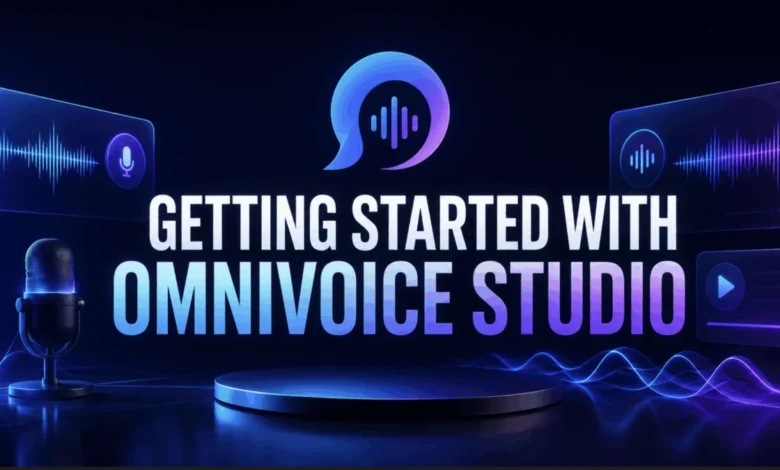
The landscape of artificial intelligence is continually evolving, with voice AI emerging as a particularly transformative field. For years, advanced text-to-speech (TTS) and voice cloning capabilities have largely been the domain of sophisticated cloud-based platforms, often accompanied by recurring subscription costs, per-character billing, and the inherent necessity of sending sensitive audio data to remote servers. This model, while powerful, has presented significant barriers for independent creators, developers, and users concerned about data privacy or seeking cost-effective solutions for high-volume audio generation. A new contender, OmniVoice Studio, is now reshaping this paradigm, offering a robust, open-source, and entirely local alternative that promises to democratize access to cutting-edge voice AI.
The Rise of Voice AI and Cloud Dominance
The global market for text-to-speech software was valued at approximately $2.8 billion in 2023 and is projected to reach over $10 billion by 2032, driven by applications in content creation, accessibility tools, virtual assistants, and gaming. Companies like ElevenLabs have capitalized on this boom, offering high-quality voice synthesis and cloning services that have become popular among podcasters, YouTubers, and developers. Their appeal lies in the ease of access to powerful AI models without the need for local computational resources, offloading the heavy lifting to scalable cloud infrastructure. Users simply paste text, select a voice, and generate audio, often within seconds.
However, this convenience comes with inherent trade-offs. The typical cloud-based model involves a tiered subscription structure, where advanced features and higher usage limits command premium prices. For instance, platforms often start with a limited free tier, quickly transitioning to paid plans ranging from $5 to hundreds of dollars per month, with costs escalating based on character count or audio generation time. Beyond the financial considerations, a more fundamental concern for many users is data privacy. Every piece of text, every reference audio clip, and every generated sound file must traverse the internet and reside on third-party servers. For sensitive content, proprietary projects, or simply users who prioritize data sovereignty, this poses a significant hurdle, introducing potential security risks and a loss of control over personal or intellectual property. The dependence on an internet connection for inference also restricts usage in offline environments or where network latency is a critical factor.
OmniVoice Studio: A Paradigm Shift Towards Local-First AI
OmniVoice Studio enters this dynamic landscape with a fundamentally different premise: everything runs directly on the user’s hardware. Billed as "the open-source ElevenLabs alternative," this project, which has rapidly garnered 7.1k GitHub stars and 1.1k forks, champions a local-first, privacy-centric approach to advanced voice AI. Its latest release, v0.2.7, shipped on May 3, 2026, underscored its commitment to accessibility with pre-built installers for macOS, Windows, and Linux, simplifying the entry point for a broad user base.
The core philosophy behind OmniVoice Studio is to put the user in complete control. There are no accounts to create, no subscriptions to manage, no API keys required for most functions, and critically, no data leaves the user’s machine during inference. This commitment to on-device processing ensures that reference audio, scripts, and generated files remain private and secure, addressing a major pain point of cloud-based solutions. For personal use, the software is entirely free, removing financial barriers to accessing sophisticated voice cloning, video dubbing, and voice design tools.
Unrivaled Language Support and Feature Parity
One of OmniVoice Studio’s most striking differentiators is its unparalleled linguistic coverage. While leading cloud platforms typically support a respectable number of languages, often in the range of 30-40, OmniVoice Studio boasts support for an astonishing 646 languages. This vast linguistic breadth is a game-changer for content creators targeting diverse global audiences, educators developing multilingual learning materials, and researchers working with lesser-resourced languages. It significantly expands the reach and applicability of advanced voice AI, fostering greater inclusivity and accessibility across linguistic boundaries.
Beyond language, OmniVoice Studio offers a comprehensive suite of features that directly rival, and in many cases surpass, its cloud-based counterparts:
- Pricing: Free for personal use, eliminating per-character or monthly billing concerns.
- Voice Cloning: Offers zero-shot cloning from a 3-second audio clip, matching the capability of commercial solutions without the data transfer.
- Voice Design: Provides highly granular controls, including gender, age, accent, pitch, style, and dialect, offering more creative flexibility than typical gender and age sliders.
- Video Dubbing: Executes the entire complex dubbing pipeline locally, from transcription and translation to voice cloning and audio mixing, ensuring data privacy and offline capability.
- Data Privacy: A core tenet, with all audio and text remaining on the user’s machine.
- API Keys: Not required for most operations, simplifying setup.
- GPU Support: Flexible hardware acceleration across NVIDIA CUDA, Apple Silicon MPS, AMD ROCm, and CPU, with automatic detection and intelligent offloading.
- Desktop App: A native, cross-platform application for macOS, Windows, and Linux, providing a seamless user experience.
This comprehensive feature set, combined with the local-first approach and extensive language support, positions OmniVoice Studio as a formidable alternative, especially for users who value privacy, cost-effectiveness, and offline functionality.
Under the Hood: Engineering for Performance and Privacy
The robustness of OmniVoice Studio stems from its well-engineered architecture. It is built as a Tauri desktop application, a Rust-based framework known for its efficiency and ability to create lightweight, secure, and cross-platform native applications. This framework wraps a React frontend for an intuitive user interface and a FastAPI backend, which exposes 97 API endpoints for core functionalities. Persistent state, crucial for managing saved voices and project data, resides in an encrypted SQLite database, reinforcing the privacy commitment.
The AI pipeline itself is a sophisticated orchestration of several cutting-edge open-source components, each performing a specialized task:
- WhisperX: Utilized for high-accuracy speech transcription, particularly for the video dubbing and dictation features.
- Pyannote: Employed for speaker diarization, an essential capability in video dubbing to accurately identify and differentiate multiple speakers within an audio track.
- OmniVoice Model (from k2-fsa): The core diffusion-based TTS system that powers the voice cloning and instructed generation, trained on the extensive 646 languages.
- Demucs: Used in the video dubbing pipeline to separate original speech from background audio, allowing for the preservation of ambient sounds under the dubbed track.
Performance is a key consideration, and OmniVoice Studio intelligently leverages available hardware. GPU acceleration is auto-detected at launch, routing tasks to NVIDIA CUDA, Apple Silicon MPS, or AMD ROCm. For systems with less than 8 GB of VRAM, the TTS model intelligently offloads to the CPU, ensuring the pipeline still runs, albeit at a slower pace. This flexibility means that users do not strictly need a high-end GPU; the entire pipeline can operate on a CPU, making it accessible to a wider range of machines. Apple Silicon Macs, in particular, benefit from MLX-optimized Whisper and TTS backends, utilizing the Apple Neural Engine and Metal Performance Shaders for roughly double the throughput compared to a pure CPU path.
Navigating Installation and Setup
While OmniVoice Studio’s advanced capabilities might suggest a complex setup, the developers have streamlined the process. Users can choose between pre-built installers (DMG for macOS, MSI for Windows, AppImage or .deb for Linux) for a straightforward installation, or clone the repository from source for the most current fixes, especially given its active beta status. The initial launch involves a one-time download of approximately 2.4 GB of model weights and the creation of a Python virtual environment via uv, with a splash screen providing live progress updates.
For specific advanced features like speaker diarization and larger voice-design engines, an optional Hugging Face token is required. This involves creating a free Hugging Face account, generating a read token, and accepting the model terms for pyannote/speaker-diarization-3.1. The token can be easily configured through the app’s settings or via environment variables, ensuring secure access to gated models.
For headless server deployments or integration into automated pipelines, OmniVoice Studio also provides a Docker path. This allows users to run just the FastAPI backend, exposing its 97 API endpoints at http://localhost:8000, without the desktop GUI. This capability is invaluable for team deployments, server-side processing, or custom integrations where a graphical interface is not needed.
A Spectrum of Voice AI Features for Every Need
OmniVoice Studio offers a versatile array of tools, each designed to address specific voice AI requirements:
- Voice Cloning: The core feature, enabling users to generate new audio in a cloned voice by providing a short (3-10 second) reference clip. Emphasizes the importance of clear, noise-free reference audio for optimal results, suggesting vocal isolation as a preprocessing step if needed.
- Video Dubbing: A complex yet seamlessly integrated process. Users can input a YouTube URL or a local video file, and the app locally transcribes the original speech, translates it to the target language, clones the original speaker voices, synthesizes the dubbed audio, and finally muxes it back into an MP4. This end-to-end local workflow is a significant advantage for content creators seeking to globalize their content while maintaining full control over their data.
- Voice Design: For creating entirely new voices from scratch. Users can manipulate sliders and controls for attributes like gender, age, accent, pitch, speed, emotion, and dialect. An A/B comparison feature allows for iterative refinement, and satisfied users can save their designed voices to a personal gallery for later use in the Voice Clone tab.
- Dictation Widget: A system-wide, real-time transcription tool accessible via a global hotkey (e.g.,
Cmd+Shift+Space). It instantly transcribes spoken words and auto-pastes them into any focused application, enhancing productivity for writers, developers, and anyone requiring quick, on-the-fly dictation without switching windows. - Multiple TTS Engines: OmniVoice Studio ships with six distinct TTS engines, each optimized for different use cases. The default OmniVoice engine is a general-purpose powerhouse covering 600+ languages. Other options include CosyVoice 3 for instructed generation with fine-grained style control, MLX-Audio for maximum speed on Apple Silicon, VoxCPM2 for cross-platform cloning with strong accent coverage, MOSS-TTS-Nano for fast cloning on lower-powered machines, and KittenTTS for lightweight, near real-time English TTS on CPU. This flexibility allows users to select the optimal engine based on their specific needs for language, speed, and style. The architecture also allows for the integration of custom TTS engines, fostering further community contribution and extensibility.
Integration with the Broader AI Ecosystem: The MCP Server
Beyond its standalone desktop application, OmniVoice Studio extends its utility through a Model Context Protocol (MCP) server. This server, exposed on localhost:8765 when the app is running, enables seamless integration with MCP-compatible clients like Claude Desktop and Cursor. The MCP allows these AI development environments to discover and invoke OmniVoice Studio’s core capabilities—TTS generation, voice cloning, and dubbing job creation—directly. For example, a developer using Claude Desktop could issue a command like "Generate audio of this paragraph in a female voice with a British accent," and Claude would route the request to OmniVoice’s local API, synthesize the audio, and return the file path, all without the user needing to manually open the OmniVoice Studio application. This integration capability highlights OmniVoice Studio’s potential as a foundational tool within a broader, interconnected AI workflow, enhancing productivity and creative possibilities for developers and content creators alike.
Implications and Future Outlook
OmniVoice Studio represents a significant milestone in the democratization of advanced voice AI. By offering a powerful, feature-rich solution that runs entirely locally and is free for personal use, it effectively lowers the barrier to entry for individuals and small organizations. This empowers a new wave of content creators, educators, and developers to experiment with and deploy sophisticated voice technologies without the prohibitive costs or privacy compromises associated with traditional cloud platforms.
The project also stands as a testament to the power of the open-source movement. Its rapid development, active community, and consistent releases demonstrate how collaborative efforts can produce highly competitive and innovative alternatives to commercial offerings. As concerns about data privacy and digital sovereignty continue to grow, the local-first approach championed by OmniVoice Studio positions it as a critical tool for users who demand full control over their data and intellectual property.
While currently in active beta, with developers noting that "things can break between releases," the core pipeline’s functionality across cloning, dubbing, dictation, and design is robust. The responsiveness of the community and the regular cadence of updates indicate a vibrant and rapidly maturing project. OmniVoice Studio’s impact could extend beyond individual users, potentially influencing the strategies of larger cloud providers to consider hybrid models or more transparent data handling practices. It also fosters innovation by making complex AI models accessible for experimentation and integration into novel applications.
In conclusion, OmniVoice Studio makes a compelling and practical case for local-first voice AI. Its ability to offer 646 languages, advanced features like zero-shot cloning and local video dubbing, and a strong commitment to user privacy, all without a usage meter, adds up to a truly differentiated offering. The one-time investment of installation and an optional Hugging Face token unlocks a world of possibilities, positioning OmniVoice Studio not just as an alternative, but as a pivotal force shaping the future of accessible, private, and powerful voice AI.