Web Browser Feature Updates for August 2026: A Comprehensive Review of Stable and Beta Releases


August 2026 has proven to be a pivotal month for the evolution of the web platform, marked by the arrival of Chrome 152 and Firefox 154 in the stable release channel. These updates, while distinct in their implementation, collectively represent a significant leap toward achieving cross-browser interoperability. The industry-standard "Baseline" designation, which denotes features that have reached broad support across all major browser engines, saw a substantial influx of new capabilities this month. As the web continues to transition from a document-centric medium to a robust application runtime, these updates provide developers with the fine-grained control necessary to build sophisticated, high-performance interfaces.
The Landscape of Browser Interoperability
The release cycle for August 2026 emphasizes a trend toward unification. With Safari remaining stable following its previous version, the heavy lifting of feature deployment fell to the Google Chrome and Mozilla Firefox teams. This month’s progress is largely defined by the successful integration of CSS properties that address long-standing frustrations regarding typography, layout, and user interaction.
The "Baseline Newly available" status is not merely a technical label; it is a critical benchmark for enterprise-level web development. When a feature achieves this status, organizations can confidently incorporate it into their design systems without the need for cumbersome polyfills or complex fallback strategies. The data from August indicates a accelerated adoption rate, suggesting that the collaborative efforts of the W3C (World Wide Web Consortium) and the various browser vendors are effectively shortening the "idea-to-implementation" lifecycle.
Typography and Layout: The Rise of Text-Box Controls
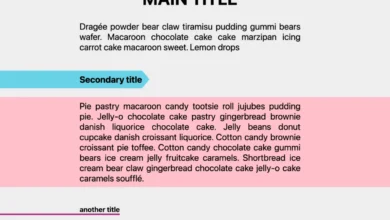
One of the most significant architectural updates in Firefox 154 is the implementation of the text-box property suite, including text-box-trim and text-box-edge. For decades, web designers have struggled with the "leading" issue—the inherent vertical whitespace built into font files that makes aligning text with other UI elements, such as icons or buttons, notoriously difficult.
By allowing developers to trim this extra space based on specific metrics like cap or alphabetic edges, these properties bring a level of precision to web typography that was previously only achievable in dedicated desktop publishing software like Adobe InDesign. This feature, now supported by Safari 18.2, Chrome 133, and Firefox 154, effectively solves the "vertical rhythm" problem that has plagued CSS layout engines since their inception. The implications for responsive design are profound, as it allows for tighter, cleaner UI components that remain consistent across diverse font stacks.
Dynamic CSS: Sibling-Count and Sibling-Index
The introduction of the sibling-count() and sibling-index() functions into the stable Firefox release marks a paradigm shift in how CSS handles DOM relationships. Historically, if a developer needed to change a style based on the number of items in a list, they were forced to rely on JavaScript to calculate the length of an array or add specific utility classes to elements.
With these new functions, the browser engine performs these calculations natively. This is not only more efficient in terms of memory usage, but it also enables reactive styling that responds to DOM changes instantly. For example, a developer can now create a grid that automatically adjusts its layout—perhaps changing from a two-column to a three-column structure—based purely on the number of items present. This move toward "CSS-native logic" reduces the reliance on heavy client-side scripts, directly contributing to improved page load times and reduced main-thread activity.
Global UX: The Autocorrect Attribute
The standardization of the global autocorrect HTML attribute represents a long-awaited consolidation of user experience standards. While many mobile browsers had implemented this functionality in an ad-hoc manner, its formalization across Chrome, Firefox, and Safari ensures a predictable experience for users.
This attribute allows developers to toggle spell-checking and punctuation correction on input fields and contenteditable regions. By providing a standardized interface, it empowers developers to create more intuitive forms, particularly for applications where auto-correction might be detrimental, such as in code editors or specialized data-entry forms. This standardization reflects a broader industry movement toward prioritizing accessibility and usability as foundational elements of the web platform.
Advanced Interaction: Chrome 152 and CSSPseudoElement
Chrome 152 introduces expanded support for CSSPseudoElement, a powerful API that allows developers to manipulate pseudo-elements like ::backdrop, ::scroll-marker, and ::view-transition as first-class objects. Previously, these elements were often "black boxes" that could only be styled via CSS.

By exposing them to the JavaScript API, developers can now attach event listeners directly to them. This is particularly transformative for modal dialogs and view transitions. For instance, the ::backdrop element can now trigger a close event directly, eliminating the need for complex coordinate calculations to determine if a user clicked outside the modal content. Similarly, ::scroll-marker interaction provides a new hook for creating high-performance, scroll-based animations that feel native to the operating system.
Desktop Web Applications and the Window-Drag Property
As the web platform increasingly serves as a home for Progressive Web Apps (PWAs) that mimic native desktop software, the window-drag CSS property becomes essential. This feature, which standardizes the older app-region property, allows developers to define which parts of a web application window—such as a custom title bar—can be clicked and dragged to move the application on the desktop.
By using values like move and none, developers can create custom UI surfaces that behave exactly like native Windows, macOS, or Linux applications. This update highlights the maturation of the web as a platform for productivity software, reducing the friction for users who expect a seamless transition between traditional web pages and installed desktop experiences.
Technical Deep Dive: OpaqueRange and Memory Efficiency
The introduction of the OpaqueRange API in Chrome 152 is a sophisticated addition designed to handle text ranges within form controls. By exposing value offsets rather than internal nodes, OpaqueRange allows for efficient highlighting and selection without leaking the internal structure of the shadow DOM. This is crucial for performance-sensitive applications, such as large-scale text editors or real-time translation tools, where manipulating thousands of DOM nodes would otherwise cause significant frame-rate drops.
Beta Releases: A Glimpse into the Future
While stable releases provide the foundation for today’s web, the beta releases of Chrome 153 and Firefox 155 offer a roadmap for the coming months.
Chrome 153 is focusing heavily on scroll performance, introducing single-axis scroll containers and the scroll-axis-lock property. These tools will allow developers to prevent "scroll chaining" or unwanted diagonal scrolling, ensuring a smoother user experience on touch-heavy devices. Furthermore, the inclusion of <camera> and <microphone> declarative elements suggests a future where accessing hardware permissions is handled more securely and declaratively, potentially replacing some of the more complex JavaScript-based media stream requests.
Firefox 155 is leaning into SVG interoperability. By updating SVGAElement to implement HyperlinkElementUtils, Firefox is bringing SVG-based links into parity with standard HTML <a> tags. This means that developers can now access properties like origin, protocol, and hash on SVG elements directly, simplifying the process of creating complex, interactive vector graphics that act as navigation elements.
Analysis of Implications
The rapid progression of these features highlights a clear strategy among browser vendors: the offloading of complex tasks from JavaScript to the browser engine. By baking functionality like text-trimming, sibling-counting, and draggable regions into the browser itself, the industry is effectively lowering the barrier to entry for high-performance web development.
However, this rapid feature growth is not without challenges. For developers, the challenge lies in managing a rapidly shifting feature set. The "Baseline" designation is currently the most effective tool for mitigating this complexity, providing a clear signal of when a feature is safe for production use. As we look toward the end of 2026, the industry appears to be moving toward a more harmonious state, where the "write once, run everywhere" promise of the web is closer to reality than at any previous point in its history.
The cumulative effect of these updates is a more capable, more efficient, and more consistent web. Whether through the granular control of text-box properties or the native power of OpaqueRange, the tools provided in August 2026 will undoubtedly serve as the building blocks for the next generation of web-based experiences. Developers are encouraged to begin experimenting with these features in the current beta channels to ensure their applications are ready for the inevitable transition to stable support.