Mastering Data Visualization with AI: A Comprehensive Guide to Choosing the Right Visual

The modern corporate landscape is inundated with data, yet organizations frequently struggle to translate complex metrics into clear, actionable insights. As business intelligence tools and generative artificial intelligence models mature, professionals face a new operational reality: the ability to rapidly prototype, evaluate, and refine data visualizations using AI. Rather than spending valuable hours manually formatting charts that ultimately fail to communicate a core message, analysts can leverage artificial intelligence as a collaborative thought partner. This shift fundamentally alters the data storytelling workflow, allowing teams to test multiple visual frameworks—from traditional bar charts and line graphs to sophisticated slopegraphs and dot plots—before committing resources to a final design.
Understanding the Mechanics of Visual Selection
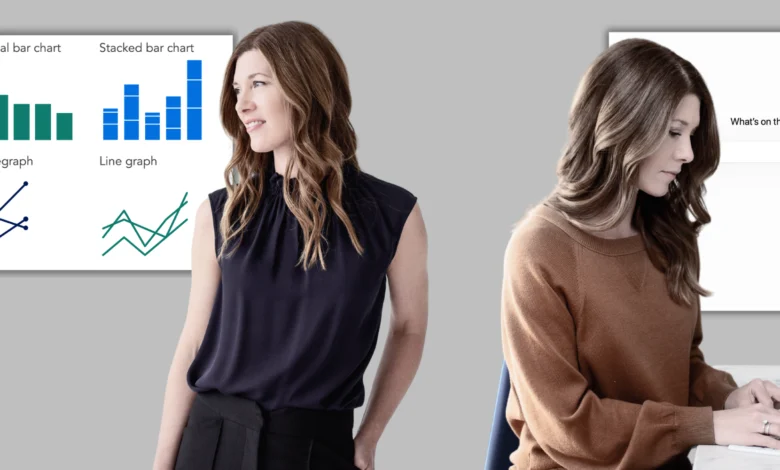
Selecting an effective visual medium requires a deep understanding of human perception and cognitive load. Fundamental chart types serve distinct analytical purposes: bar charts facilitate direct comparisons across discrete categories, while dot plots and slopegraphs emphasize directional change between two specific points in time or states. Line graphs remain the gold standard for illustrating trends continuously over chronological periods. When uncertainty arises regarding audience comprehension, simplicity is paramount. Familiar visual formats should always take precedence, ensuring that stakeholders do not need to decipher a novel graphical structure before absorbing the underlying message. Unconventional visualizations should be reserved exclusively for instances where a non-standard perspective reveals an otherwise obscured analytical insight.
The iterative process of finding the optimal visual representation is rarely straightforward. Analysts frequently construct a draft visualization, recognize that it overemphasizes peripheral data points, and subsequently pivot to an alternative framework. AI accelerates this experimental phase significantly. While initial AI outputs can occasionally appear unrefined, requiring deliberate dialogue to optimize, the technology allows users to prototype several structural options rapidly. This capability enables data professionals to evaluate visual iterations against specific takeaway messages and establish a definitive direction prior to executing the final build.
Integrating Generative AI into the Data Storytelling Workflow
For professionals following a structured data communication framework, the visual selection phase builds directly upon prior context-setting and storyboarding exercises. When working independently or within exploratory analytical phases, AI can assist in auditing raw datasets to surface hidden correlations, baseline anomalies, and compelling trends. Once an interesting pattern emerges, the analyst must articulate a concise takeaway before proceeding to prototyping. This crucial transition transforms a raw data prototype into a purposeful, audience-centric visual.
The operational workflow for AI-assisted visualization is remarkably direct. Users supply their raw or aggregated dataset, articulate the primary communicative objective, and request a curated list of visual options. Crucially, extensive data cleaning or aggregation is not a mandatory prerequisite, as modern language and multimodal models possess the capacity to interpret messy data structures. For each proposed prototype, the AI should be prompted to analyze explicit tradeoffs: identifying precisely what analytical insights a given chart illuminates versus what information it might obscure. The objective is not to delegate the final design decision to an algorithm, but rather to utilize AI as an efficient engine for generating alternatives that can be rigorously evaluated through human judgment and contextual awareness.
Comparative Tool Performance and Technological Limitations
Current market offerings reveal significant disparities in chart-rendering capabilities across various AI platforms and account tiers. While foundational planning and strategic outlining can be executed within virtually any conversational AI model, visual prototyping demands tools capable of rendering actual, high-fidelity chart images. Empirical testing indicates that free-tier iterations of models such as Copilot and ChatGPT frequently struggle to produce direct visual renderings, often defaulting to text-based approximations or code snippets. Conversely, free access tiers for Gemini and Claude historically yield more reliable visual outputs.
Paid subscription tiers generally deliver superior performance across all evaluated platforms, making them highly recommended for production-level visualization tasks. When resources are constrained, utilizing the free tier of Gemini serves as a viable alternative. Analysts seeking to maximize their creative options may also employ a multi-model approach, copying standardized prompts across several platforms to generate a diverse array of visual prototypes for cross-comparison.
Strategic Prompting for Visual Optimization
Optimizing the interaction between human analysts and generative AI systems relies heavily on precise prompt engineering. If an analyst is continuing an existing conversational thread that has already established baseline project context, they can transition directly to visualization prompts. When initiating a fresh session, however, brief orienting statements are necessary. Providing a concise three-sentence overview detailing the target audience, the core communicative takeaway, and the functional deployment context ensures the AI understands the parameters of the request.
A standard prompt for visual selection should mirror the following structure:
"I am working on a data visualization for a professional presentation and want to explore chart options. I will share the context and my data. Act as a thought partner to help me identify and prototype effective visual options. My audience is [briefly describe]. I want to show [state your takeaway in a single sentence]. How it will be used [describe the context, such as a single slide in a live presentation or a standalone graph in a report, and the intended goal, such as informing or persuading]. Here is my data [paste data table or dataset description]. Please generate two to three charts that could work well for this message and audience. Render the graphs so I can evaluate them visually. For each, briefly explain what it makes easy to see, and what it might obscure. Before making suggestions, ask me any questions that would help you give better input."
Should an AI model respond with code blocks or text-based ASCII representations rather than rendered images, analysts must issue a clarifying follow-up command requesting actual visual files for comparative evaluation.
Practical Application: People Analytics and Hybrid Work Policy Reform
To contextualize this workflow within a corporate environment, consider the scenario of a People Analytics Manager at a mid-sized consulting firm. The analytics team has recently concluded an exhaustive empirical examination of the firm’s mandated hybrid work policy—evaluating employee performance ratings, badge-swipe attendance logs, internal collaboration network density, and voluntary attrition metrics. The analytical findings support a significant strategic recommendation: transitioning away from a rigid, one-size-fits-all policy of three mandatory in-office days per week toward a flexible, differentiated framework tailored to specific role types and team structures.
Having completed foundational context and storyboarding phases, the manager establishes a narrative arc featuring distinct takeaway titles for each presentation slide. Two distinct data visualizations are required to substantiate the proposal. For the first visualization—demonstrating how early-tenure attrition rates have surged since the implementation of the hybrid policy—Gemini is deployed due to its robust free-tier graphic rendering performance. For the second visualization—illustrating how the current policy impacts disparate employee demographics in contrasting ways—ChatGPT Plus is utilized.
Graph 1: Analyzing Attrition Rates by Role Type and Tenure
The prompt supplied to the AI explicitly targeted a leadership team characterized by divided opinions and significant professional stakes in the policy outcome. The core takeaway asserted that early-tenure employee attrition had spiked noticeably following the rollout of the hybrid work mandate. The intended format was a single slide integrated into an overarching live executive briefing, designed to persuade leadership to adopt a flexible, differentiated policy model.
Prior to generating visual options, the AI model proactively engaged the user with targeted clarifying questions. It inquired whether the forthcoming differentiated policy would prioritize flexibility based strictly on tenure, functional role type, or a hybrid of both variables. Furthermore, it probed for potential sources of executive pushback and evaluated whether the stakeholder group preferred traditional visualizations or possessed an appetite for less conventional graphical formats.
Upon receiving context-specific confirmations, the AI proposed three distinct visual frameworks: a slopegraph, a grouped bar chart, and a dumbbell graph. The underlying design logic employed a neutral gray palette to establish the pre-policy baseline and to represent mid-level and senior tenure segments where no statistically significant behavioral variance occurred. Conversely, a high-contrast red accent was strategically applied to highlight the post-policy attrition spike among early-tenure employees, directing executive attention precisely where the analytical intervention was most urgently required.
Broader Industry Implications and Future Outlook
The integration of generative artificial intelligence into the data visualization workflow signals a broader evolution in corporate analytics. As analytical tools continue to automate the mechanical aspects of chart generation, data professionals are increasingly liberated to focus on higher-order strategic tasks: narrative construction, audience empathy, and executive persuasion.
Nevertheless, this technological shift places an unprecedented premium on human oversight and intellectual integrity. While AI significantly accelerates the prototyping phase, the ultimate responsibility for data accuracy, ethical representation, and contextual truth remains firmly with the human analyst. Organizations that successfully master this synergistic balance—leveraging AI for rapid visual experimentation while applying rigorous human judgment to final designs—will fundamentally enhance their capacity to communicate complex insights and drive meaningful organizational change.
Related posts: